

Appearance
Managing Locations
View, search, filter, and bulk-manage every location from one table.
Overview
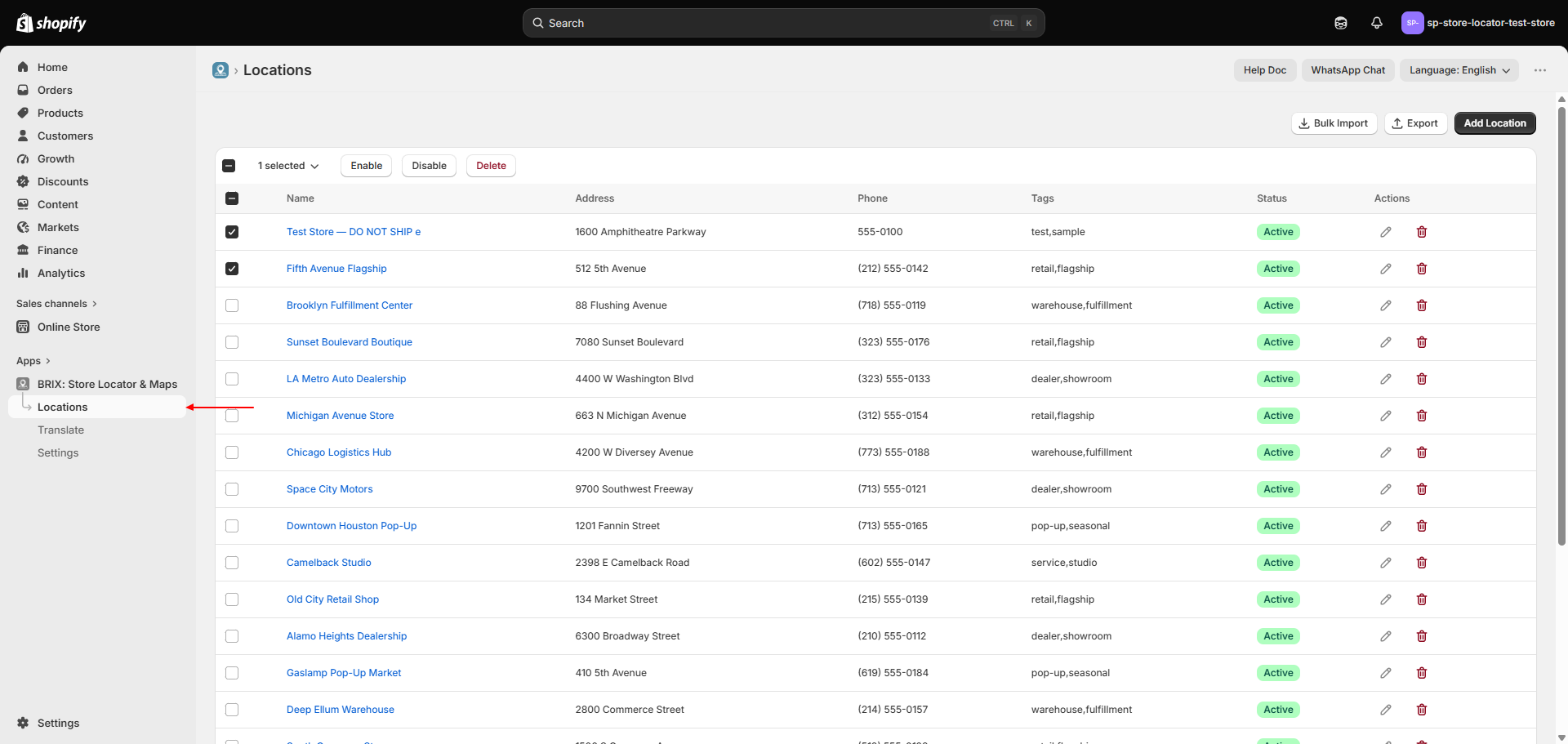
The Locations page lists every location you've added, with search, filtering, sorting, and bulk actions so you can manage a large list efficiently.
Benefits
- Find any location quickly by name, address, or tag
- Bulk-enable, disable, or delete multiple locations at once
- Sort by name, address, status, or creation/update date
Where to Find It
Apps → BRIX: Store Locator & Maps → Locations
How to Use
- Open Locations from the left navigation.
- Use the search field to find a location by name, address, or tag.
- Use Filter to show only Active or Inactive locations.
- Use Sort to reorder the list (name, address, status, created/updated date).
- Select one or more rows to Enable, Disable, or Delete them in bulk.
- Click a location's name, or its edit icon, to open it - see Adding & Editing a Location.
- Use Bulk Import or Export from the page header for CSV work.
Available Settings
| Column / Control | Description |
|---|---|
| Name | Location name; click to open the location |
| Address | Full address |
| Phone | Contact phone number |
| Tags | Tags assigned to the location |
| Status | Active or Inactive badge |
| Search | Matches name, address, or tags |
| Filter | All locations / Active / Inactive |
| Sort | Name, Address, Status, Created, or Updated - ascending or descending |
| Bulk actions | Enable, Disable, Delete (shown once you select at least one row) |
Best Practices
- Use bulk Disable instead of Delete for locations you may want to bring back later (a store closed for renovation, for example).
- Sort by "Updated" after a CSV import to quickly review what changed.
- Use tags consistently across locations so tag-based search and the customer-facing tag filter stay useful - see Search & Filters.
Notes
- Deleting a location (individually or in bulk) removes it from your active list but doesn't hard-delete its record - it's marked archived internally.
- The list shows 20 locations per page.
Troubleshooting
A location I deleted is still affecting my counts elsewhere. Deleted locations are archived rather than removed outright; contact support if you need one fully purged.
My search isn't finding a location I know exists. Search matches name, address, and tags only - not custom field values or descriptions.